Project information
Project details
Engine: Unreal Engine 4
Genre: 1st person - Non-combat stealth - horror
Project duration: 24 weeks
Project size: 12 (during production & release phase)
Status: Released on Itch.org
Project summary
Caught on Tape is a first person horror game with a focus on stealth, exploration, and problem-solving.It features hub-and-spoke level design that includes a central hub area with each branching level containing new horrors and secrets to find.

my contributions / responsibilities
As a level designer...
Research & Pipelines
Contributions
Conducted competitor research throughout the project in order to make informed decisions on tech & tools topics, level design techniques, and production pipelines
Set up pipeline documentation to help (new) team members go through the different design and production pipelines

Metrics & Gymlevel
Contributions
Set up, tested, and iterated on level design metrics within a Gymlevel.
Populated this Gymlevel with gameplay setups that were tested and iterated on during (pre)production.

Blockout & Polish
Contributions
Built a fully functional level, adhering to set metrics. Playtested and iterated on to ensure the intended player experience was met.
Did set-dressing, lighting, and overall polishing of level ‘Lab’ as well as write narrative notes.
This was done with player guidance/leashing in mind!

Playtests/QA & Iteration
Contributions
Playtested daily and kept an iteration log with feedback, observations, and planned changes to improve the player experience
Participated in QA and help solve bugs and other issues in the builds in collaboration with designers, artists, and programmers

Visual Scripting
Contributions
Visual scripting: custom events, bespoke enemy encounters, collaborated with systems design on the system for the pipes and thermal camera puzzles

Hover for more information
Leading the design team...
Product QA
Contributions
Remained product-focused and kept an eye on the bigger picture.
Through QA, reviewed work done by the team to validate consistency of gameplay and intended user experience.
Helped oversee the process of publishing the product to Itch.io

Communication
Contributions
Collaborated with all disciplines (design, art, and programming) to ensure the game’s vision remained aligned
Initiated creative meetings, set up agendas and took notes to come to conclusions quickly
Helped solve critical issues while ensuring every voice was heard

RESEARCH : COMPETITOR ANALYSIS
In this competitor analysis document, I conducted research on other horror stealth games.
Analysis on puzzle design, commonly used level design structures, and level design techniques to bring about our intended player experience: a feeling of dread and rising tension, whilst also planning in 'breathing room' to avoid desensitizing the player.


RESEARCH : TECH & TOOLS
In this Tech & Tools research document, I explored different dev challenges relating to efficiency and effectiveness of various production methods.
I looked into different 3D modelling method for creating the greybox kit as well as different plugins that could potentially speed up the blockout process.
I ended up designing a small metricized levelkit based on photographic reference of bunkers, and used built-in features of UE4 to add new assets quickly (see the pipeline section below).


production pipelines
I also set up pipelines for production including:
Technical implementation of additional levelkit assets in UE (regarding settings on collision and lightmaps)
How to set up additional grid materials to enhance readability
How to set up additional spline mesh blueprints to speed up placement of various props


pre-visualizing ideas : diagrams
Concepts were 'blocked out' in PowerPoint or on paper to quickly build up level structures and ideas for puzzle designs.
These were used during pre-production when working on a benchmark asset to prove production pipelines, but also during the production phase itself.


pre-visualizing ideas : sketches
Sketches were made to communicate design ideas or to break down photographic reference for pre-production pipelines like setting up a metricized levelkit.
Possible gameplay ideas using our game mechanics were also drawn in advance to communicate intention and served as a reference when trying out different setups in the gymlevel.


Benchmark blockout
Basic levelkit with tested metrics (would serve as a basis for artists)
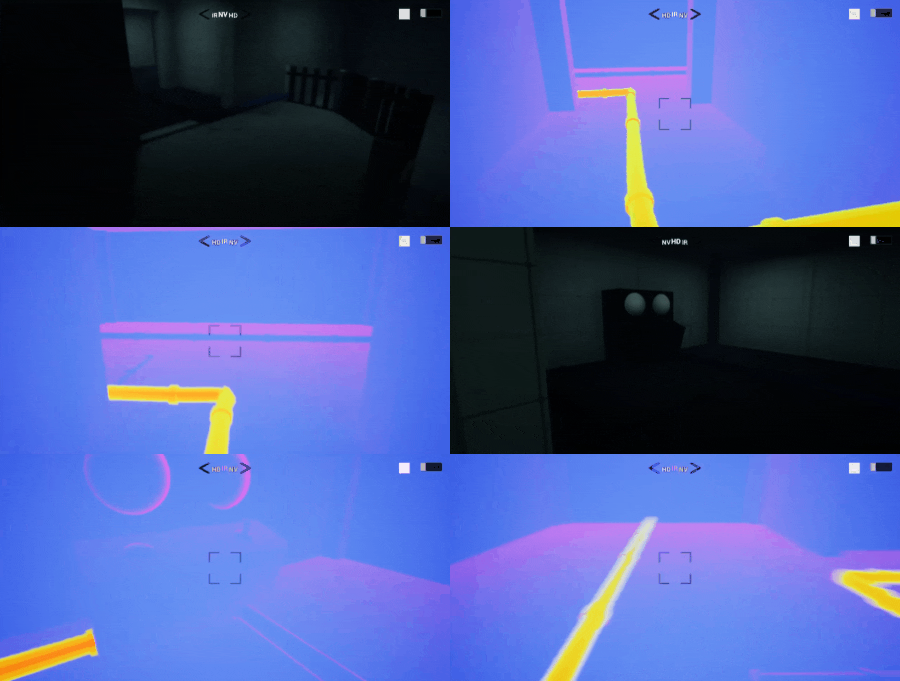
Scripted bespoke puzzle functionality, spline mesh pipes with hot/cold states visible with thermal camera.
One fully playable, playtested benchmark level with all puzzles and gameplay mechanics in place.


production blockout
Created using the pipelines set up during pre-production through the development of the benchmark blockout.
The metricized levelkit I created in pre-production was used for the blockouts. Environment Art then used that levelkit as a base for the final art assets of the environment. Swapping placeholder geometry with the final art was very quick and easy because of this.


scripted events
Scripted custom events for the levels Lab and Hub:
-
Set up smoke-and-mirrors chase scenes
-
Special enemy encounters like the secondary enemy introduction
-
Setting up puzzles using the systems created by system designers
-
Manipulation of lights and sound
-
Environmental changes like opening/closing doors
extra: early prototypes
Research document on an interaction system created during the concepting phase. This prototype became the primary ability for the player.
I researched Amnesia: The Dark Descent and Deus Ex: Human Revolution as examples of this feature in a similar game (1st person stealth).
Object interaction prototype created in UE4 showing possibilities for opening up new paths and dealing with enemies without combat.


SPLINE MESHES
Created a spline mesh Blueprint for different meshes.
-
Primarily used for the pipes to make them easy to apply to the environment and easy to adjust.
-
Also used on non-standard meshes like fences, curved hallways, cannon tracks on the ground in the storage area. This sped up placement greatly.
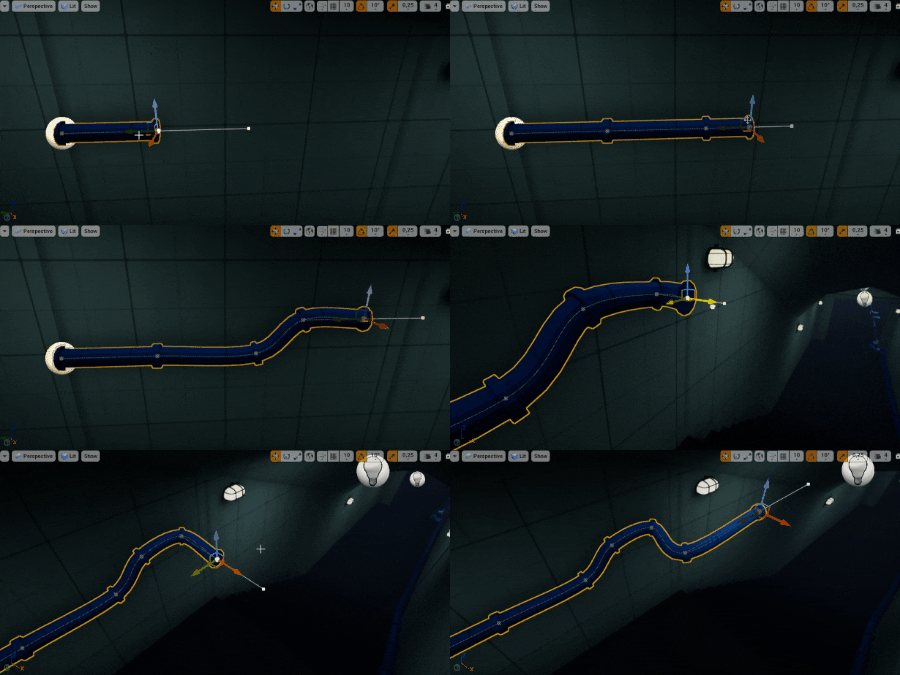
Spline pipes: easy to place and adjust
Setting up spline pipes to toggle between hot and cold
-
The effect is only visible through the thermal camera.
-
Pipes could be set to hot or cold by interacting with terminals.
-
Used in puzzles by powering up various parts of the facility.